


Securaze Workflows
Your process, designed by you — one editor for computers and phones, debugged like code before it goes live.
- Drag and drop steps — branches, loops and sub-workflows
- Smart Path sends every device its own way
- A real debugger: breakpoints, stepping, replay of real runs
- Safe test mode on a real station before a flow goes live
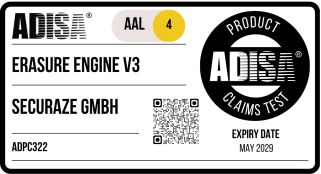
Certified & independently verified




Platforms
- Workflow Editor for Windows and macOS
- Runs on Securaze Work and Securaze Mobile
- Offline on the station
Fixed profiles make every device run the same test list. With Securaze Workflows you build your own process step by step: Smart Path sends each device its own way, operators answer only what the flow asks, and you simulate and debug a flow before it reaches a station.
Everything Securaze Workflows does for you
Build it visually
Drag and drop steps — erase, verify, diagnose, grade, print, ask. Branches, loops and sub-workflows.
Smart Path routing
Send each device its own way — by what it is, then by what it is worth. 22 ready-made rule sets.
A real debugger
Breakpoints, stepping, watch values and a call stack, for computer and phone flows alike. Replay a recorded station run step by step, or continue it from any step with a changed value.
Safe test mode
Try a flow on a real station — steps that erase, reset, report or print are only simulated.
Computers and phones
One editor and one kind of flow for Securaze Work and Securaze Mobile. The operator picks the workflow after login.
Operators guided
Questions, grading and manual tests pop up exactly when the flow reaches them.
Offline and audited
Flows are kept on the station, so they run without a connection. Every run goes to the audit log.
Call your systems
Your ERP, ticketing system or any REST service — send GET, POST, PUT, PATCH or DELETE requests from any step. Secrets stay on the station.
Start from a sample
15 ready-made flows in the library, from NIST erase and verify and Smart Path sorting to diagnose, grade, erase and print.
How Securaze Workflows runs
- 01
Build
Put the flow together in the Workflow Editor, or start from one of the 15 samples in the library.
- 02
Test
Simulate it and pick each outcome, debug it with breakpoints, and save workflow tests with the expected path.
- 03
Try on a station
Run it on a real Work or Mobile station in safe test mode — erasing, resetting, reporting and printing are only simulated.
- 04
Go live
Operators pick the workflow after login. The flow runs on the station, online or offline, and every run is logged.
Securaze Workflows — frequently asked questions
What is Securaze Workflows?
Securaze Workflows lets you build your own processing flows for computers and phones in the Workflow Editor — the steps, the order, the questions to the operator and the route each device takes — and run them on Securaze Work and Securaze Mobile stations.
Which products run workflows?
Flows run on Securaze Work and Securaze Mobile. One editor and one kind of flow covers both.
Can I test a flow without erasing anything?
Yes. The editor simulates a flow and lets you pick each outcome, and the safe test mode runs it on a real station while steps that erase, reset, report or print are only simulated.
Do workflows need a connection?
No. Flows are kept on the station and run without a connection; every run goes to the audit log.
See Securaze Workflows in action
A live demo on your device mix and a free trial on your own inventory — from the platform ITADs and refurbishers switch to.
PAY ONLY FOR SUCCESSFUL ERASURES · CREDITS NEVER EXPIRE